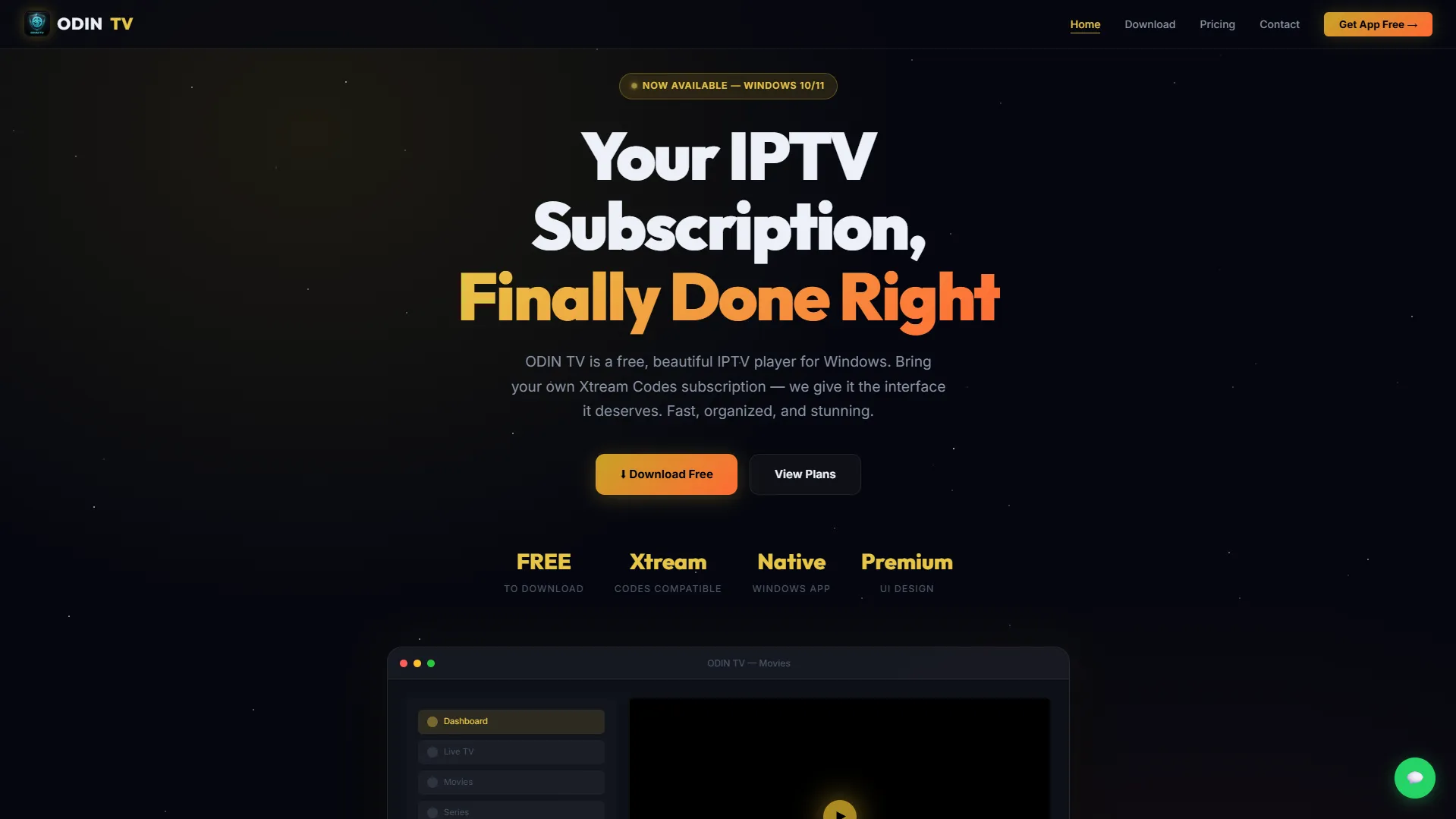
ODIN TV Landing Platform
Project Overview & Demo Details
A premium landing platform designed to showcase and market the ODIN TV desktop IPTV player with a modern, conversion-focused user experience.
Eng Stack & Tools
Project Spec Sheet
Tags
Case Study & Technical Details
⚡ ODIN TV — Premium IPTV Landing Platform
This repository contains the landing and marketing platform for ODIN TV, a modern, high-performance desktop IPTV player designed specifically for Windows.
Built as a visual showcase for portfolio presentation, this project represents the public interface of a premium product, focusing heavily on modern UI/UX design, smooth transitions, and seamless user conversion.
🎨 Design Philosophy & Visual Identity
The platform is designed to give the user a high-end, premium cinema-like experience from the very first glance.
- Dark Mode First: Crafted with a deep navy-indigo background (
#08090fto#0d0f1a) to mimic a theater environment and reduce eye strain. - Gold & Orange Accent: Uses a warm golden-orange color scheme (
#c9a227to#ff6b35) for interactive buttons, badges, and focus borders to highlight value. - Glassmorphism Layouts: Card sections and modals use subtle translucent gradients, soft borders, and backdrop blur filters (
backdrop-filter: blur(12px)) to create depth and modern layers. - Micro-Animations: Features custom scroll reveal animations (via standard
IntersectionObserver), glowing hover lift offsets, and an interactive twinkling star field canvas in the hero header.
🖥️ Platform Architecture & Pages
The application is structured into four distinct conversion paths:
1. 🏠 Homepage (Product Showcase)
- Hero Section: Twinkling background with high-impact value proposition. Contains CSS-only mockups of the desktop player's user interface.
- Features Grid: Showcases key performance benefits (blazing-fast native boot times, beautiful custom dark themes, optimized rendering engine).
- How-It-Works Map: Walkthrough guides showing users how to bring their own Xtream Codes credentials and configure the player in under 60 seconds.
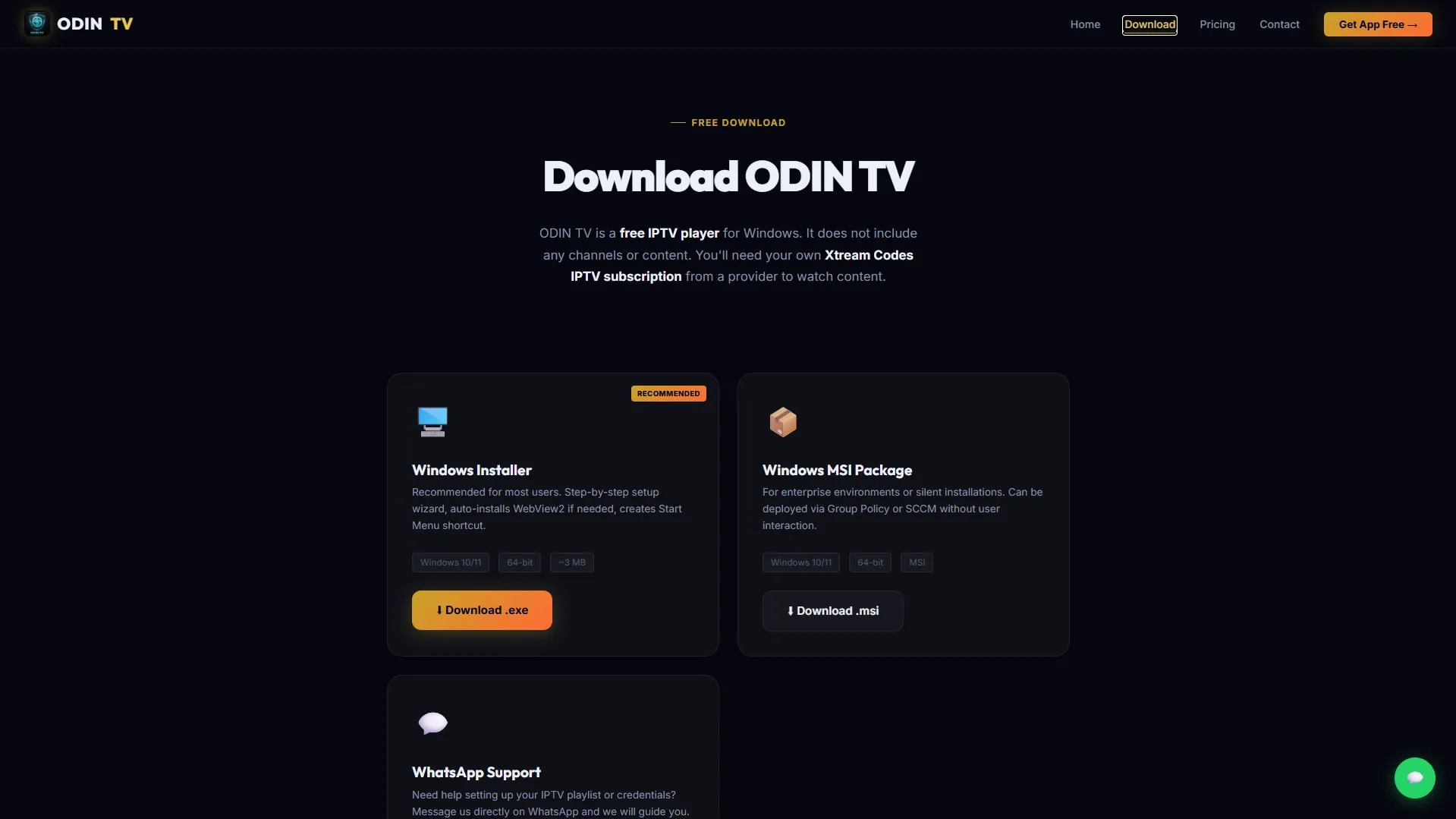
2. ⬇️ Download Hub
- Direct Conversions: Offers links to signed setups (
.exe) and enterprise packages (.msi). - System Requirements: A detailed breakdown grid listing minimum specs (OS version, RAM, and broadband requirements).
- Troubleshooting Card: Integrates direct WhatsApp support for users requiring playlist installation guides.
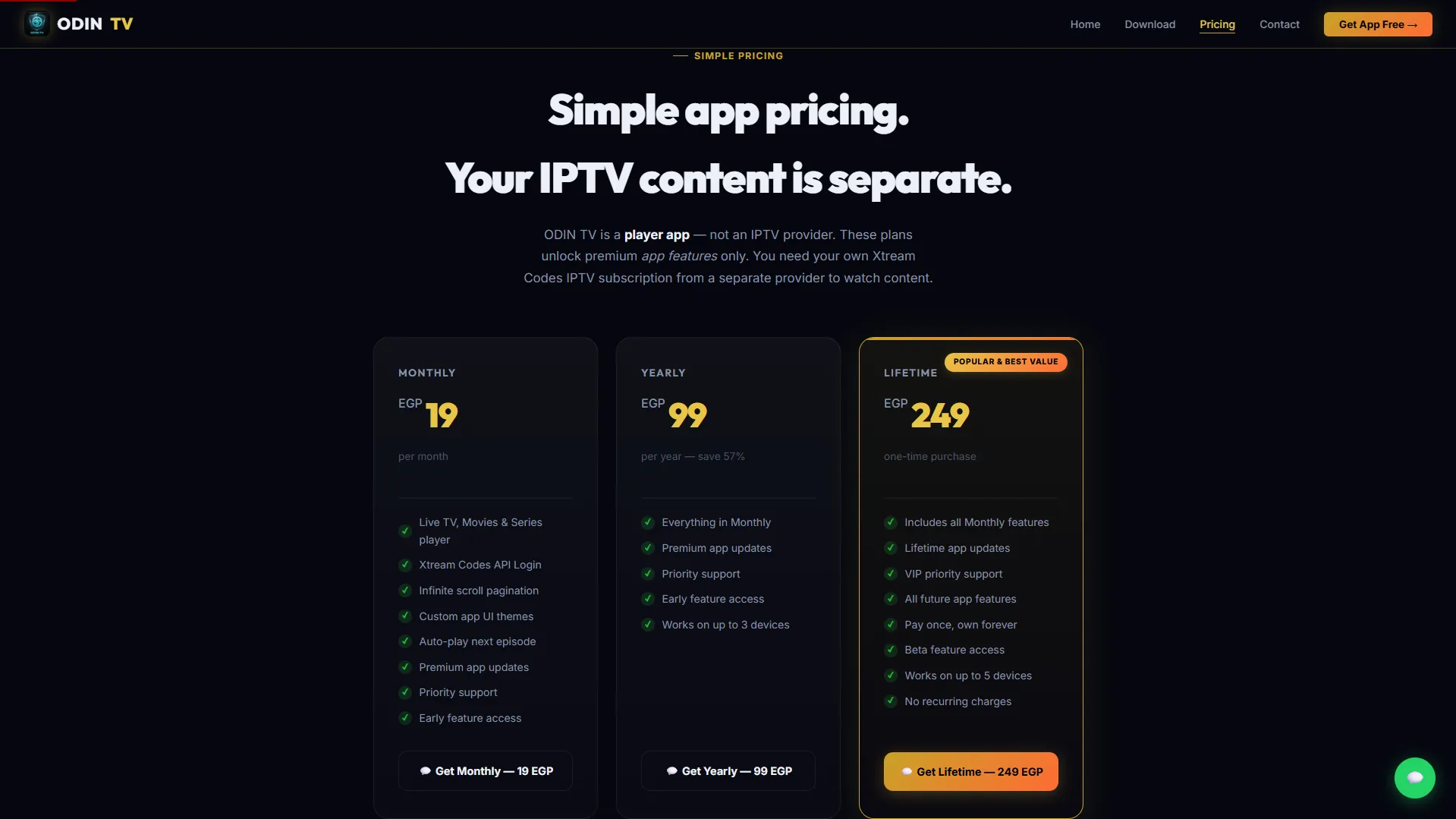
3. 💳 Pricing & Monetization
- 3-Tier Plan Grid: Showcases Monthly, Yearly, and Lifetime licenses. The Lifetime tier is highlighted as the "Best Value" using scale transforms, glowing golden header borders, and a custom pulsating checkout button.
- WhatsApp Checkout: All plans link to direct WhatsApp API redirect strings, pre-filling checkout details for instant customer-admin communication.
- Advanced FAQ Accordion: Expandable Q&A section clarifying that the software is a player only (requiring user-provided playlists) and discussing credentials safety.
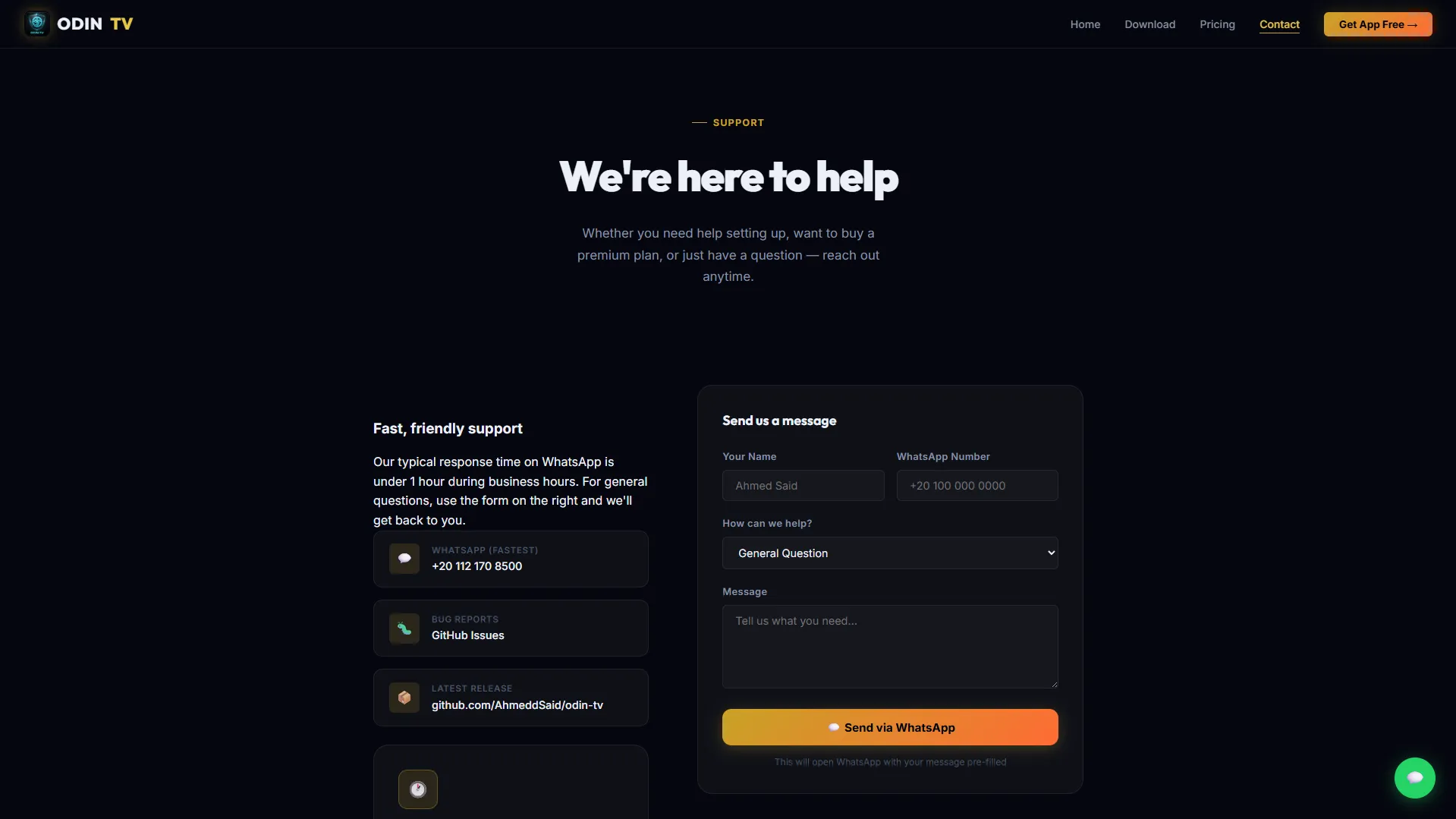
4. 📞 Contact & Troubleshooting
- WhatsApp Contact Form: Users can submit questions via an interactive support form that automatically constructs and launches a pre-filled WhatsApp message.
- Troubleshooting Section: Detailed troubleshooting solutions for common desktop player issues (e.g. Edge WebView2 runtimes, connection timeouts, and stream formats).
📺 The ODIN TV Desktop App Experience
The landing site markets a custom desktop IPTV player designed to solve the clunky UI/UX issues of standard players:
- Xtream Codes API Native Integration: Connects locally to user playlists to fetch and organize catalogs.
- Clean Category Views: Separate dedicated dashboards for Live TV Channels, Movies (VOD), and TV Series.
- Optimized Playback Engine: Smooth, buffer-free playback for standard formats (HLS, MPEG-TS, MP4, and MKV).
- Secure Local Storage: Login URL, username, and password credentials remain on the user's local machine and are never uploaded.
- Premium Extras: Customizable themes (Odin Cyan, Plex Gold, Netflix Red) and auto-play next episode.
Gallery & Interface Layouts
Home
Download
Pricing
Contact