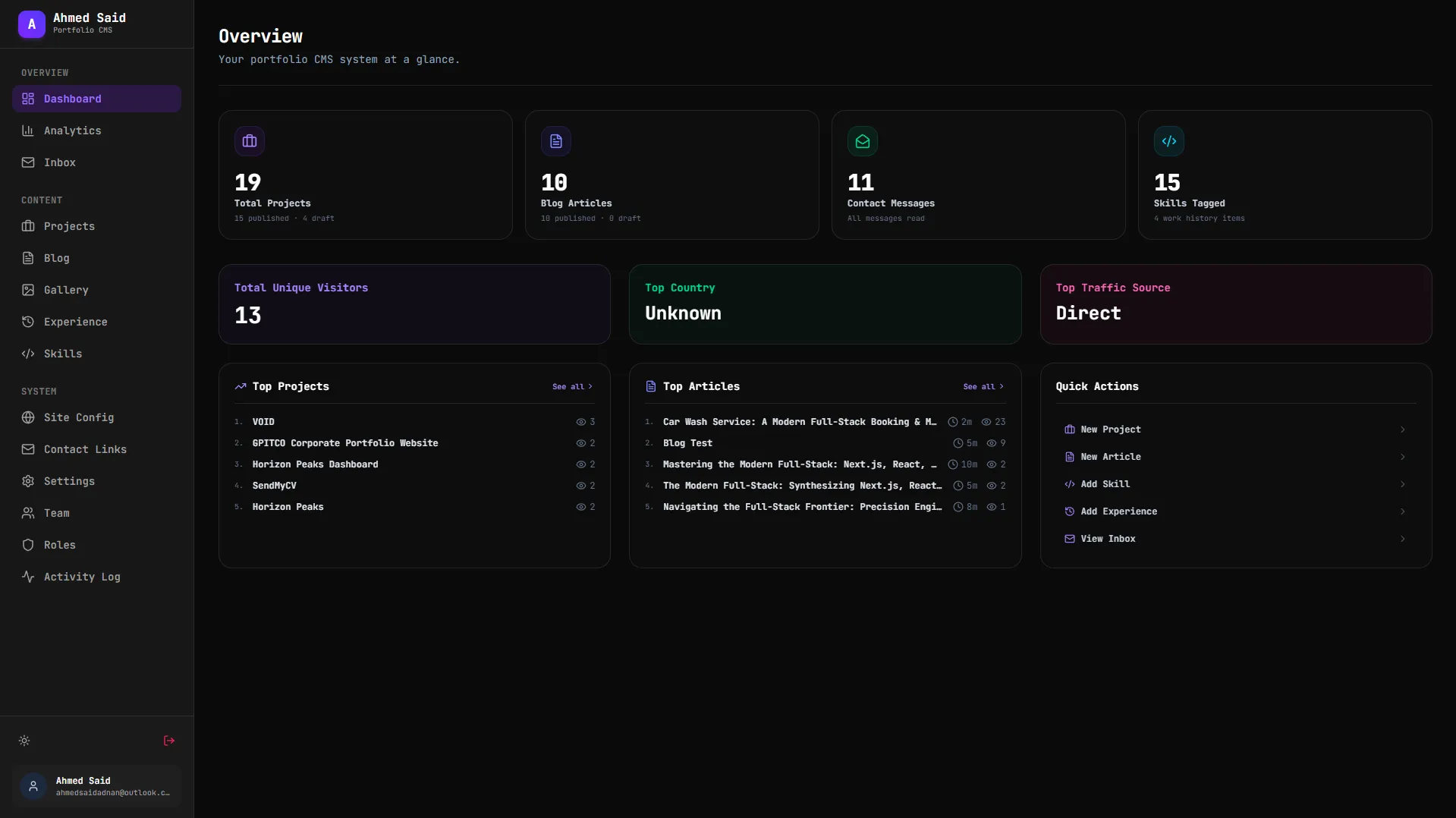
Portfolio Dashboard
Project Overview & Demo Details
A modern content management dashboard for administering projects, blog posts, visitor analytics, AI-powered content generation, and portfolio settings.
Eng Stack & Tools
Project Spec Sheet
Tags
Case Study & Technical Details
Portfolio CMS Admin Dashboard
A high-fidelity administrative console designed to manage, configure, and analyze the portfolio system. Built with Next.js 16 (App Router) and TypeScript, it interfaces directly with the NestJS API, providing real-time data visualizers, database rollbacks, AI blogging configuration boards, and system settings.
🖥️ Feature Details & Panels
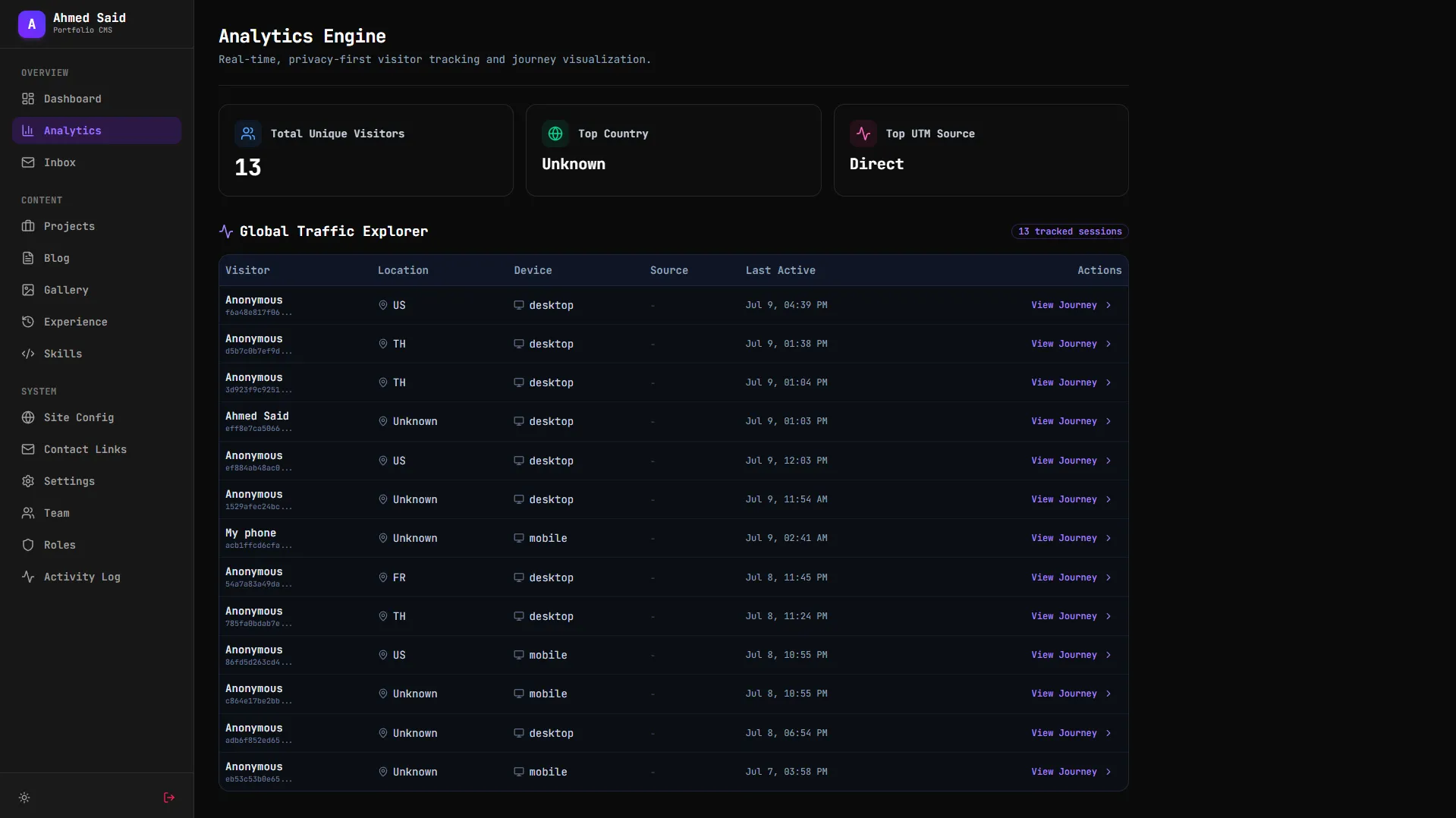
1. Analytics & Visitor Tracker (/analytics)
Provides a comprehensive overview of audience engagement without relying on heavy third-party trackers:
- Metrics Grid: Summarizes total visitors, referral routes, geographic distribution, and device metrics.
- Geographic Visuals: Breaks down visitor countries and cities to analyze target demographic reach.
- Visitor Journeys Feed: Displays a chronological feed of active visitors. Admins can click on a visitor to inspect their hashed signature, platform details (browser, OS, device), and their complete route path sequence (collapsible timeline of visited pages, page slugs, and timestamp logs).
- Visitor Alias Editor: Allows admins to name specific visitor hashes (e.g. "Googlebot" or "Potential Client from London"), making future activity scans readable.
2. Activity Log & Rollback Interface (/activity-log)
Acts as a security checkpoint and a system backup control panel:
- Audit Trail Feed: Renders list of admin events—creation, updates, deletions, settings modifications, login logs, and credential updates.
- Rollback System (Undo Engine): Allows restoring states instantly. If a project is mistakenly updated or deleted, clicking the Undo button sends a rollback request to the backend. The interface dynamically updates to reflect the reversion.
- Safety Locks: Disables undo flags for authentication events to preserve security history.
3. AI Autoblogger Console (/blog/autoblogger)
Provides full configuration control over the automated Gemini AI blog generator:
- Live Status Feed: Displays execution diagnostics, including if an AI run is active, the timestamp of the last generation, and the scheduled date for the next automated update.
- Diagnostics Logger: Renders real-time execution outputs showing intermediate stages (e.g. querying Dev.to articles, drafting markdown layouts, filtering content via Gemini parameters, and committing to MongoDB).
- Parameters Control Panel: Form configurations to specify keywords/topics, article intervals (in weeks), default publishing status (Draft vs Published), and custom Gemini API keys.
- Manual Trigger Button: Instantly runs the Dev.to-to-Gemini pipelines on demand.
4. Dynamic CMS Content Managers
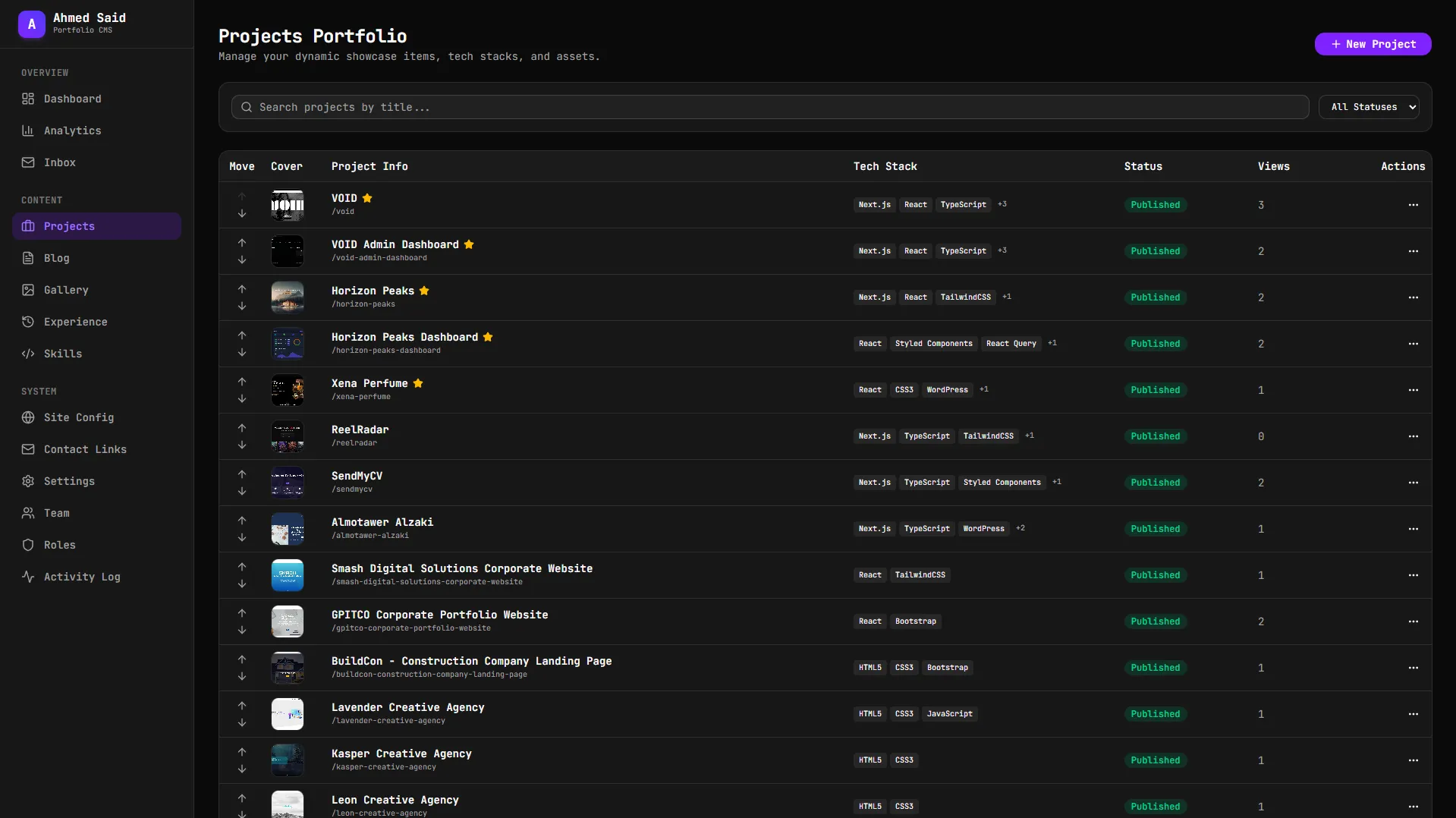
- Projects Engine (
/projects): Tabular management powered byTanStack Tablesupporting search, sorting, draft/published status triggers, and featured flags. Forms include custom drag-and-drop file upload fields mapped to backend Multer destination files (thumbnails, hero covers, gallery sections). - Blog Manager (
/blog): Allows writing and editing custom articles alongside the automated blogger feed. - Experiences Resume Manager (
/experiences): Organizes work timelines, roles, companies, websites, and associated tech stacks. - Skills Directory (
/skills): Controls dynamic grids of developer tools grouped by category (Frontend, Backend, Design, etc.) with custom level indicators.
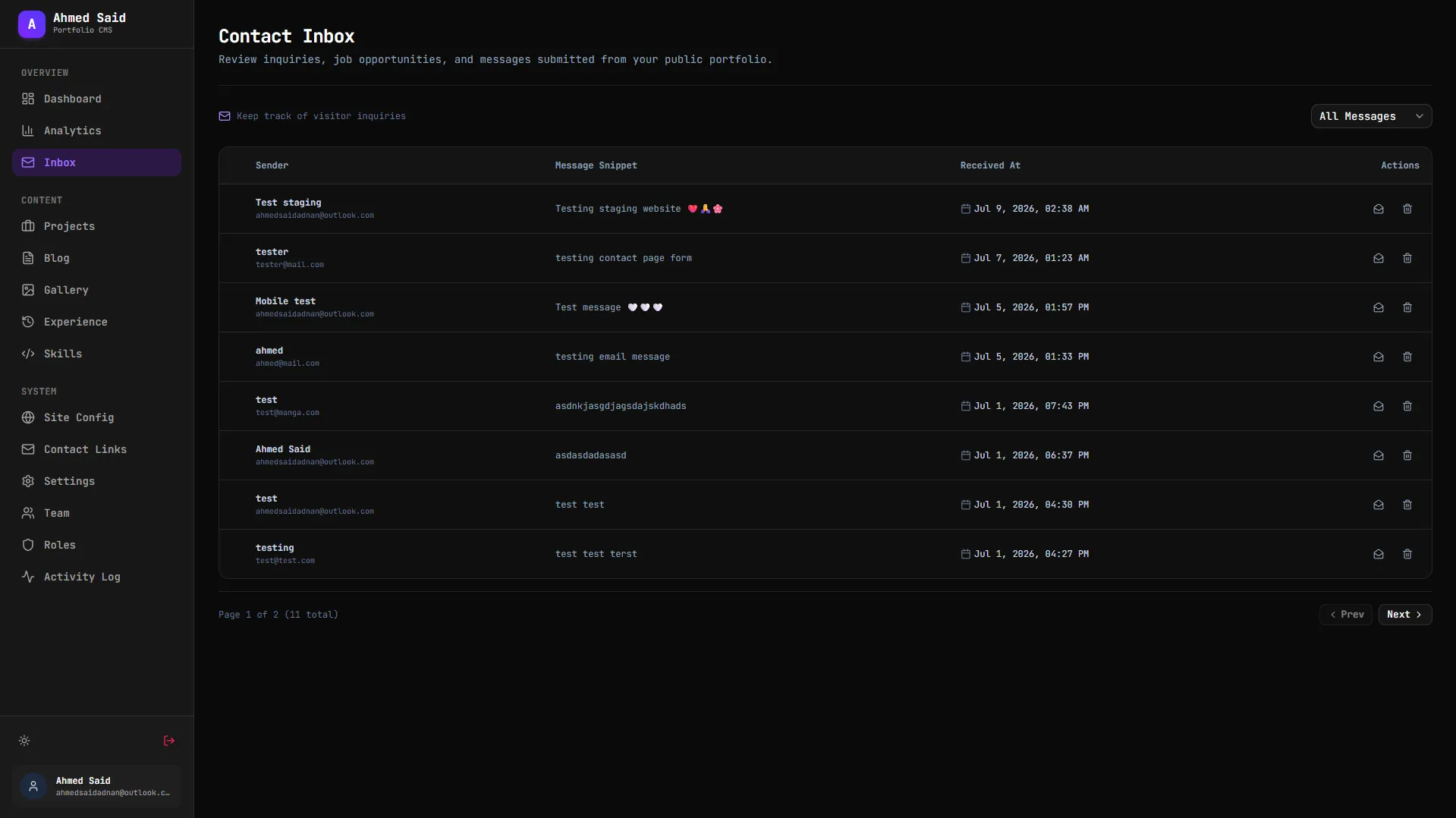
5. Client Inbox Console (/inbox)
Ingests messages sent through the public website's contact form. It displays sender metadata, timestamps, email addresses, and marks messages read/unread.
6. Configuration Panel (/settings & /site)
Fine-tunes the portfolio's core appearance:
- Social Integrations: Manages URLs for platforms like GitHub, LinkedIn, and X.
- SEO Configurations: Sets default metadata titles, description headers, and search index properties.
⚙️ Technical Core
- CORS-Cookie Authentication: Configures the Axios client with
withCredentials: trueglobally. This ensures HTTP-only authorization cookies are attached to all API mutations and queries automatically. - Query Caching & Prefetching: Utilizes TanStack React Query for efficient background caching, invalidation cycles (such as updating logs instantly after clicking "Undo"), and UI skeleton load states.
- Forms & Validation Rules: Integrates React Hook Form with Zod schemas. Forms are validated client-side before sending data payloads, reducing API traffic.
- Theme Adaptation: Employs
next-themesand custom CSS configurations to manage high-end dark/light design patterns.
Gallery & Interface Layouts
Dashboard
Analytics
Inbox
Projects
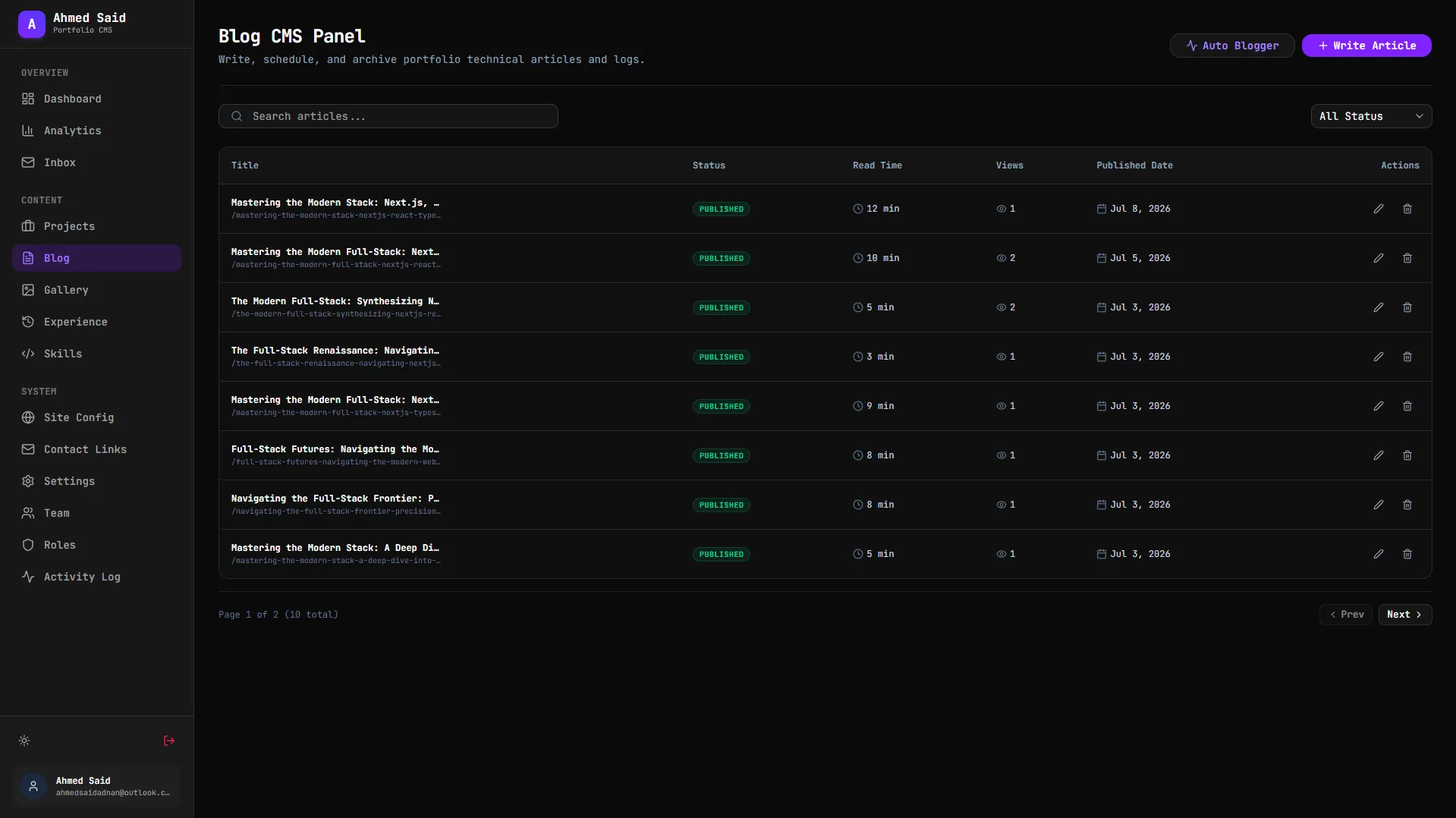
Blog
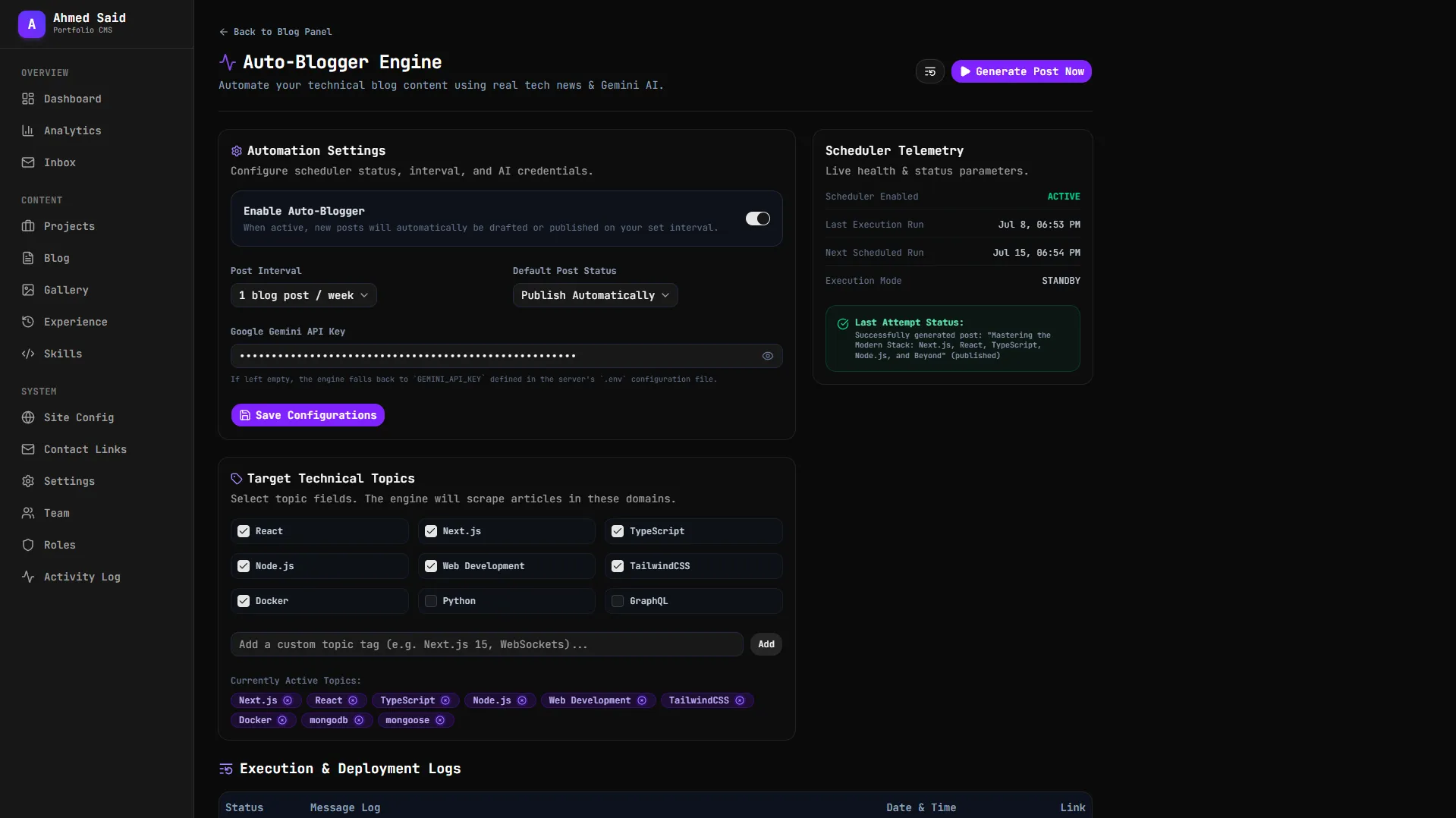
AI Blog Generator
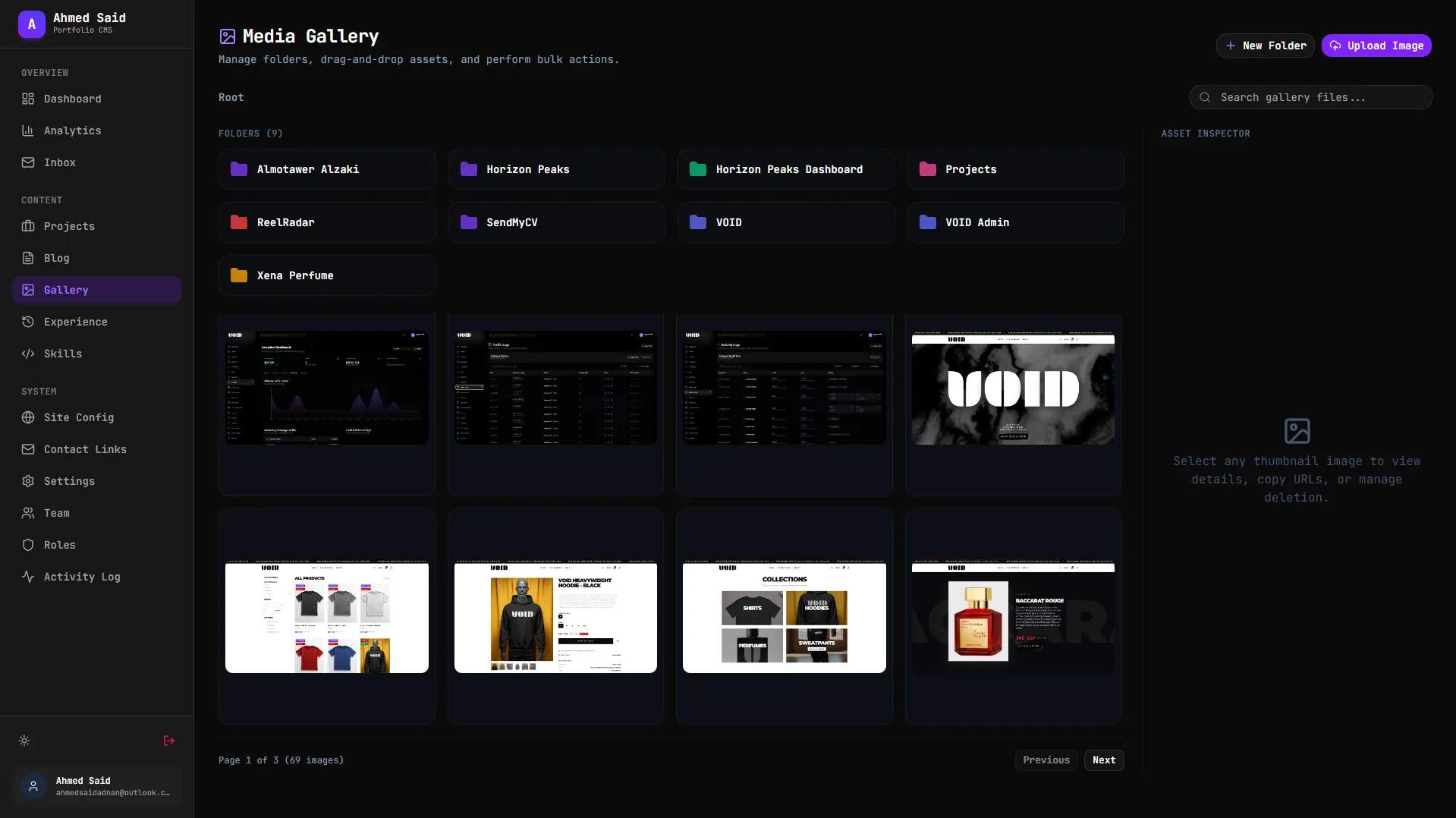
Media Gallery
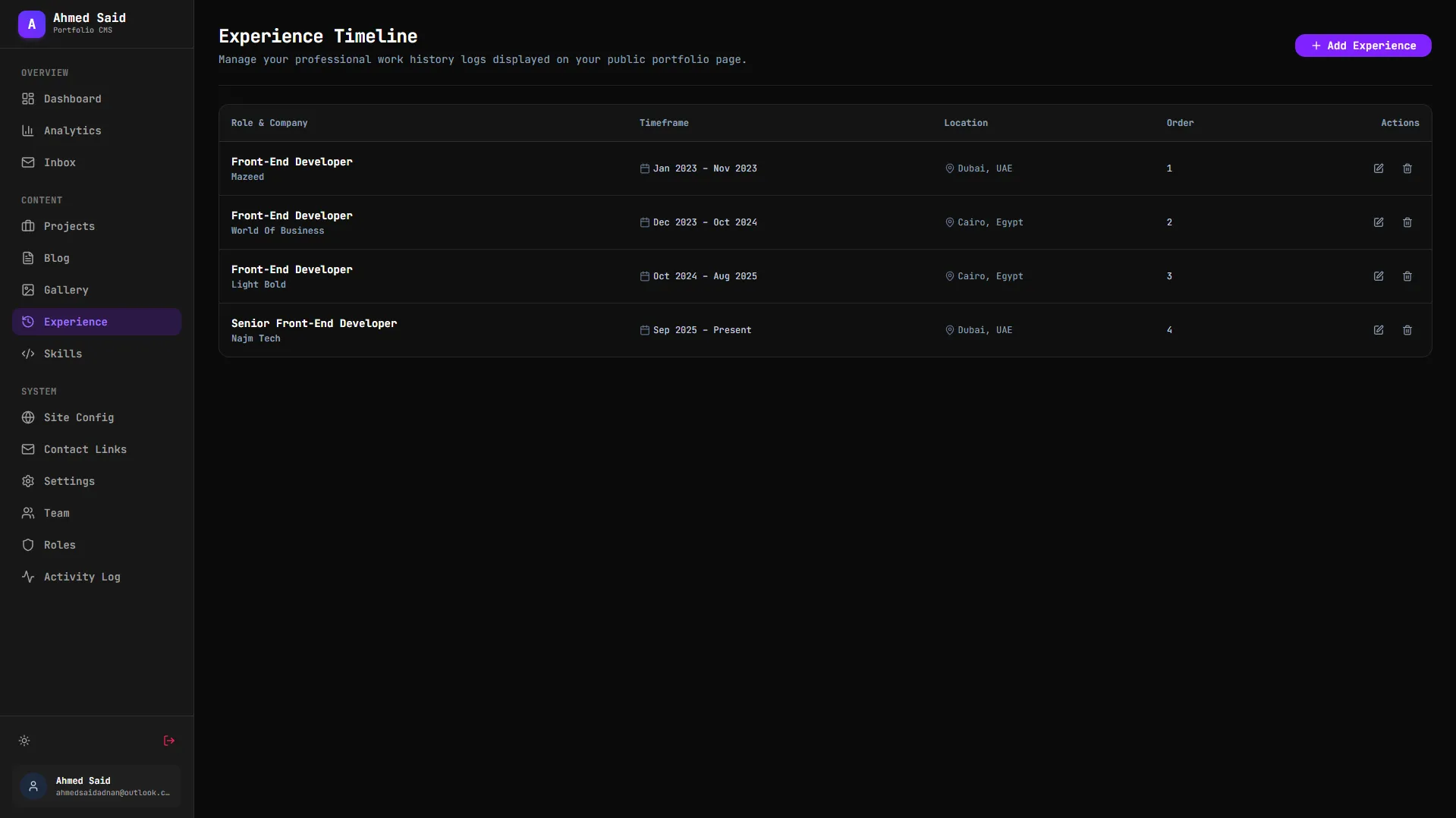
Experience
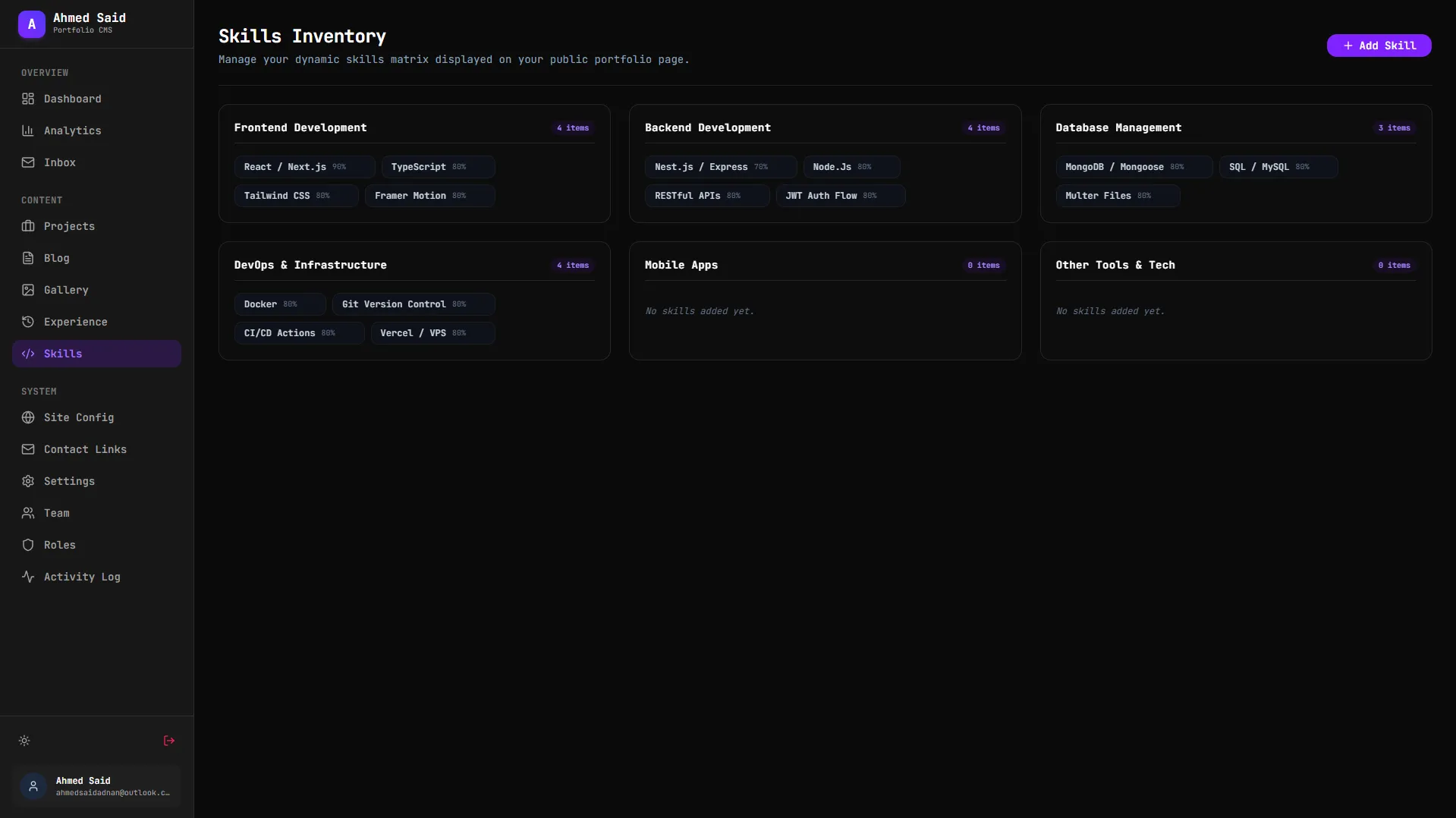
Skills
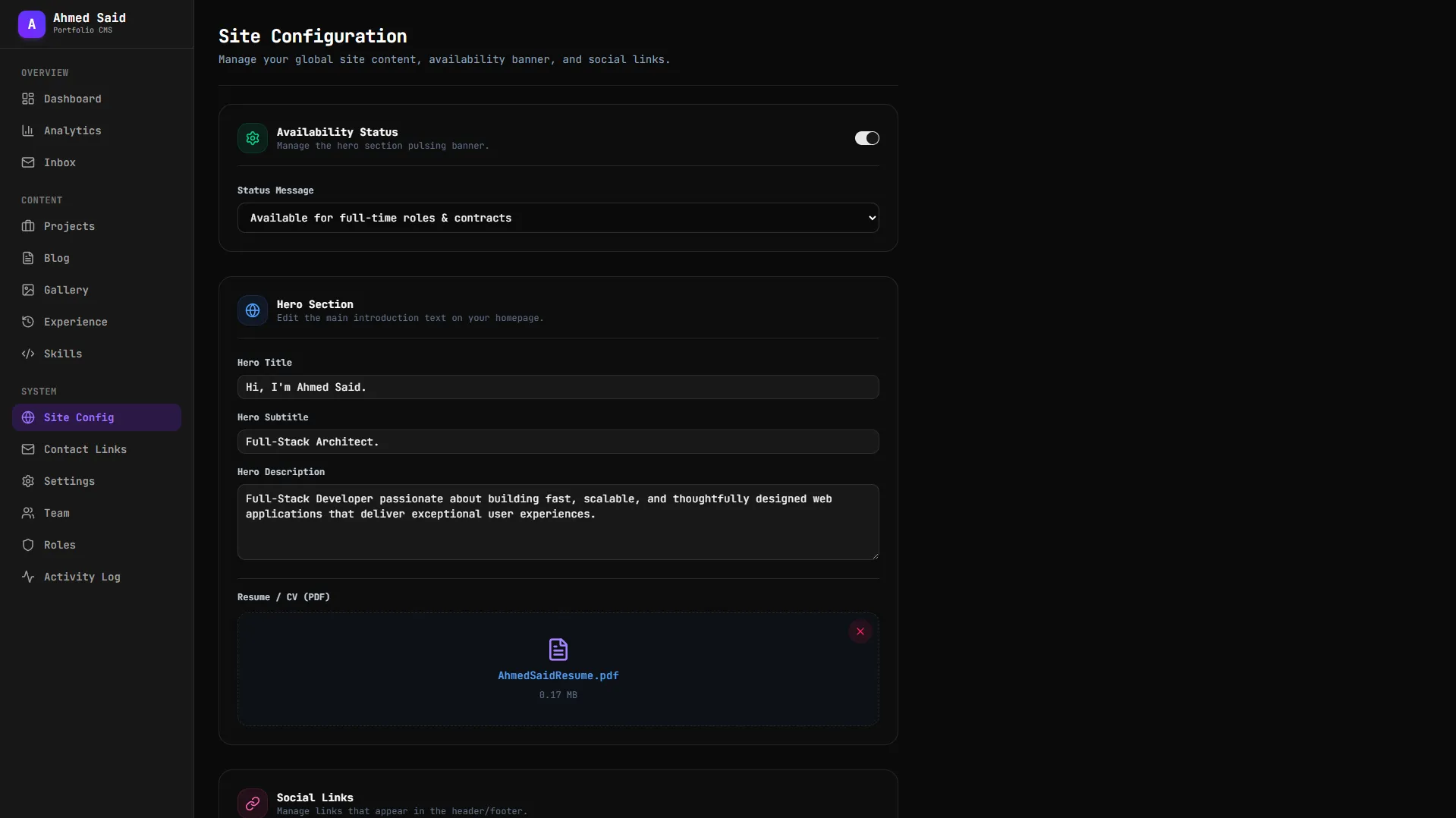
Content Management
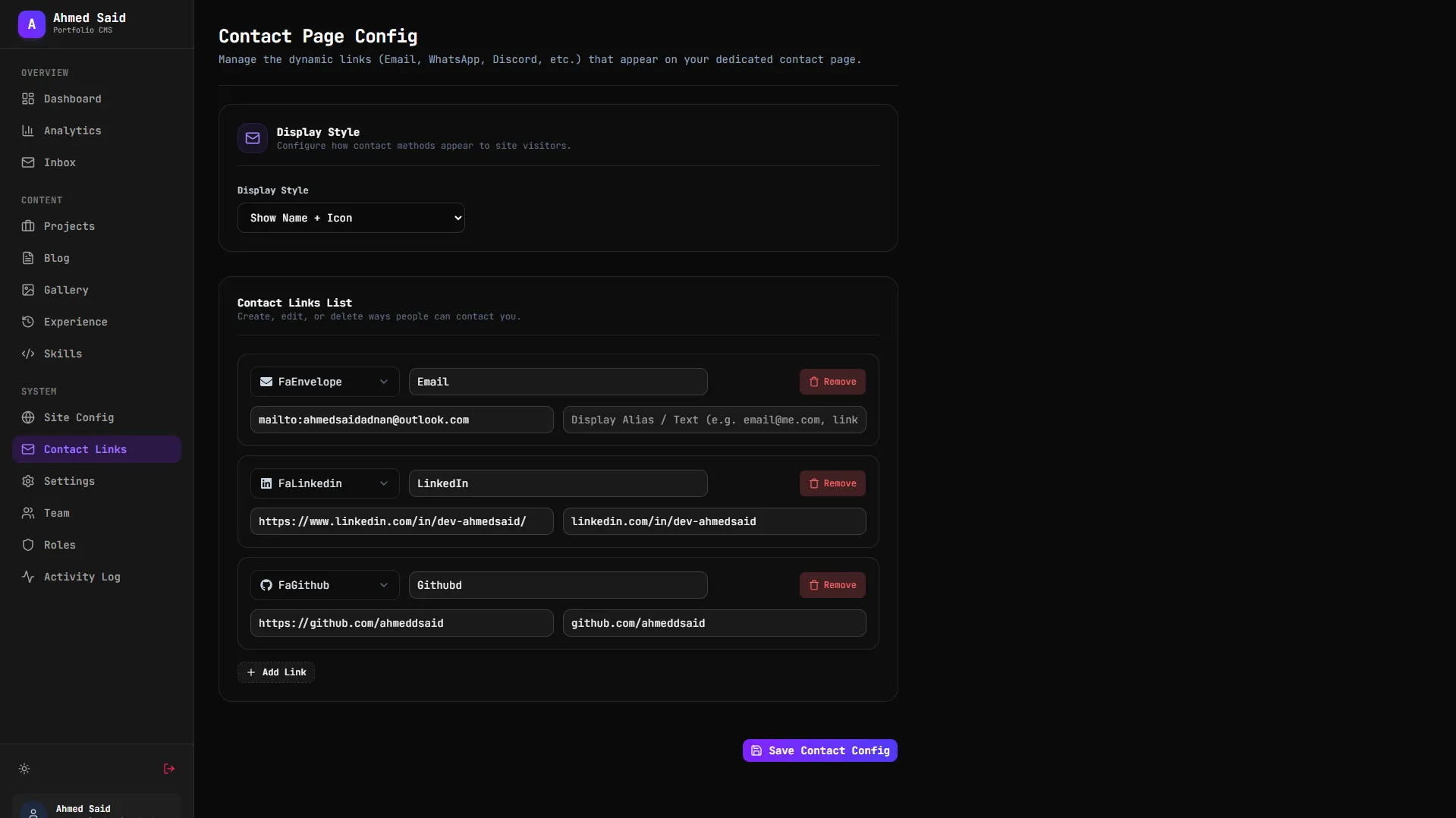
Contact links
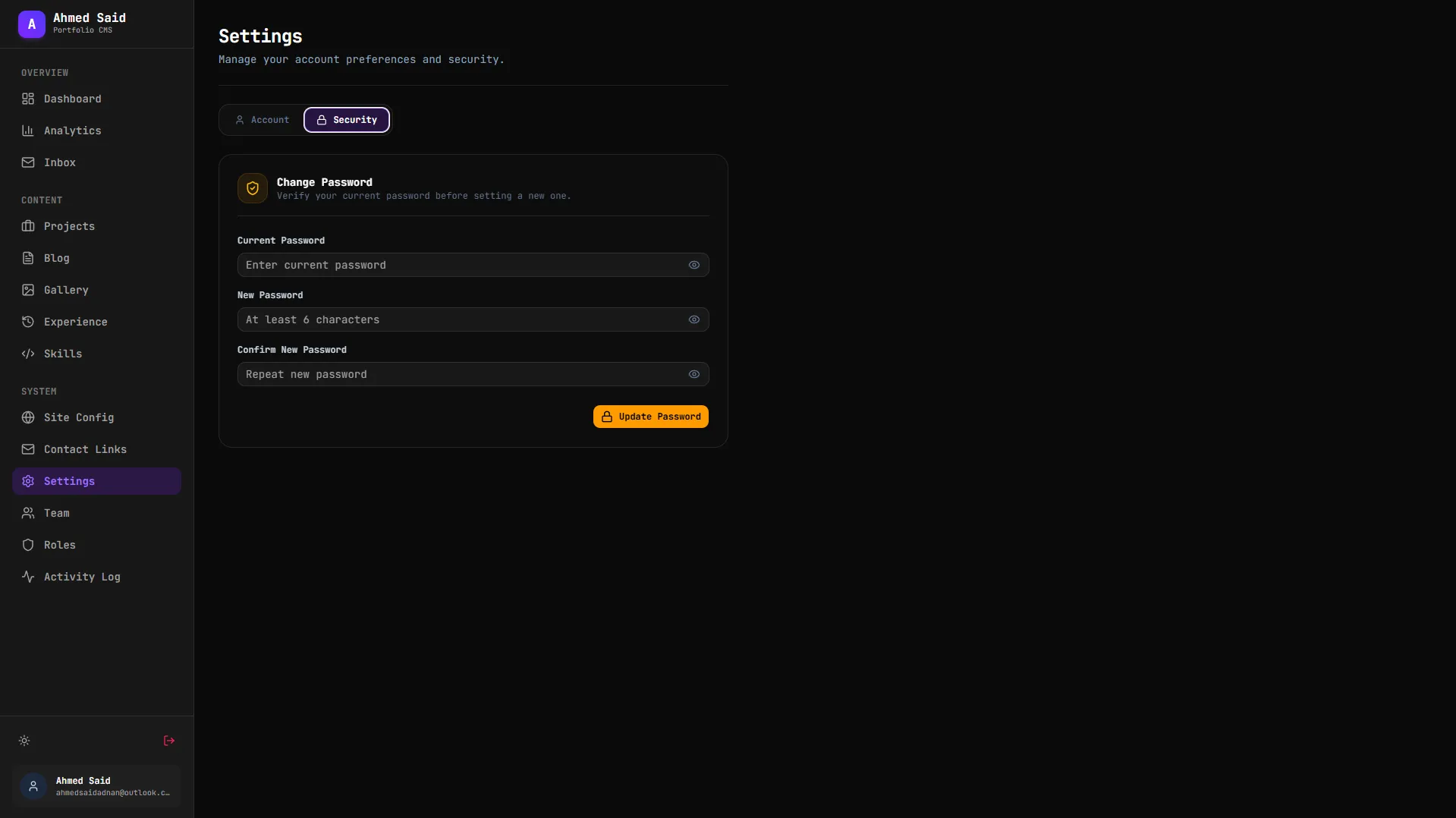
Settings
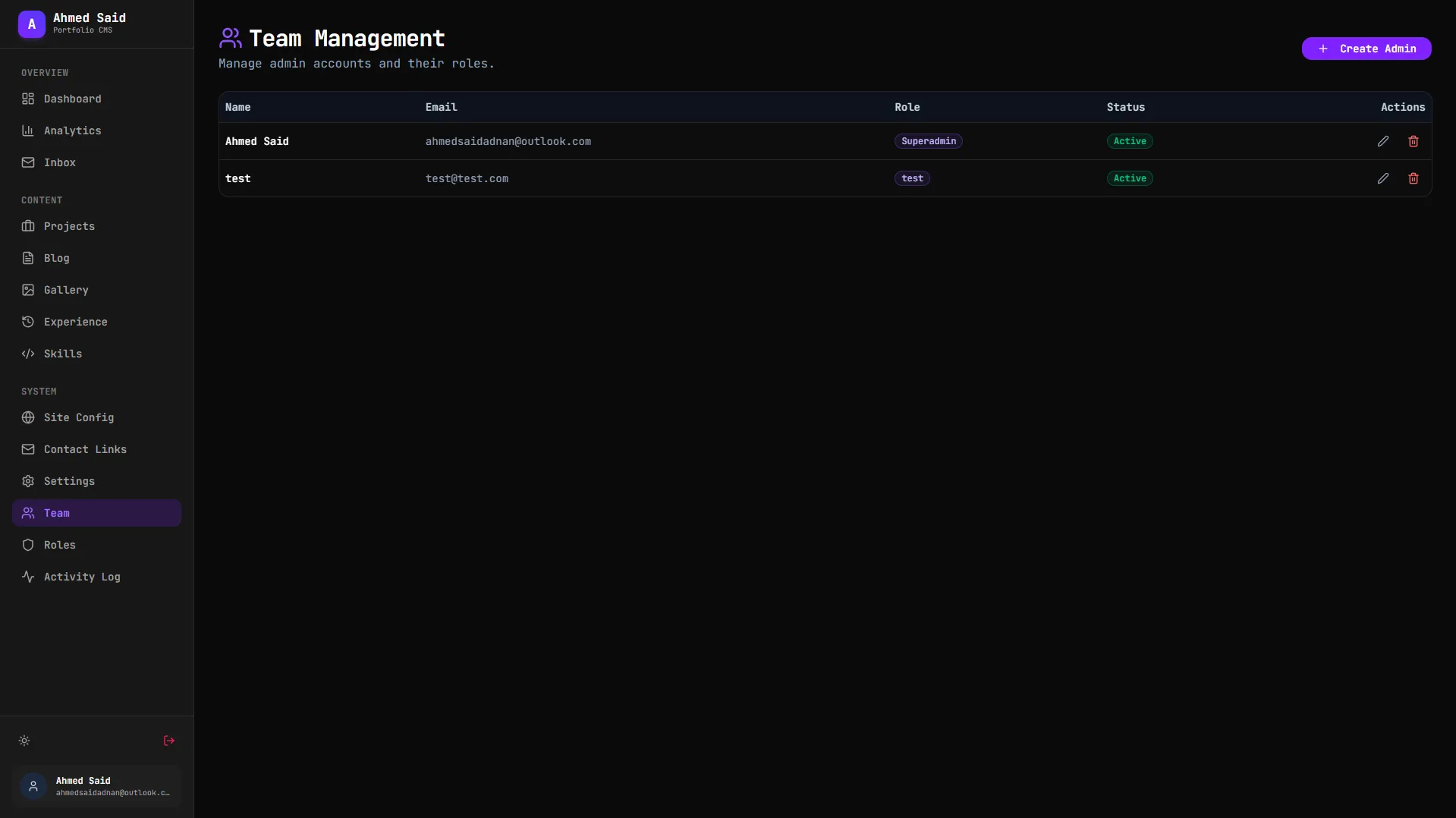
Team
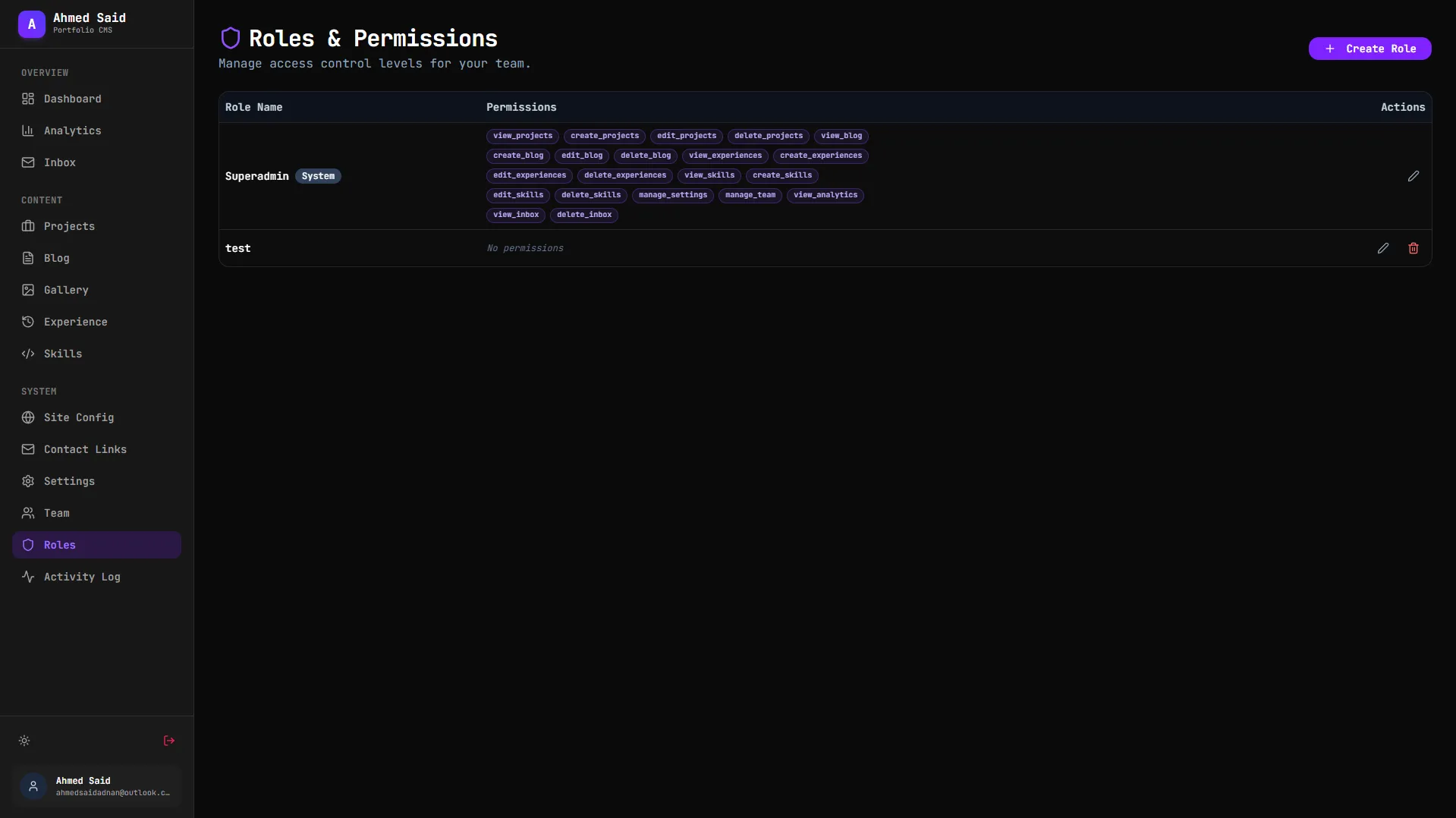
Roles
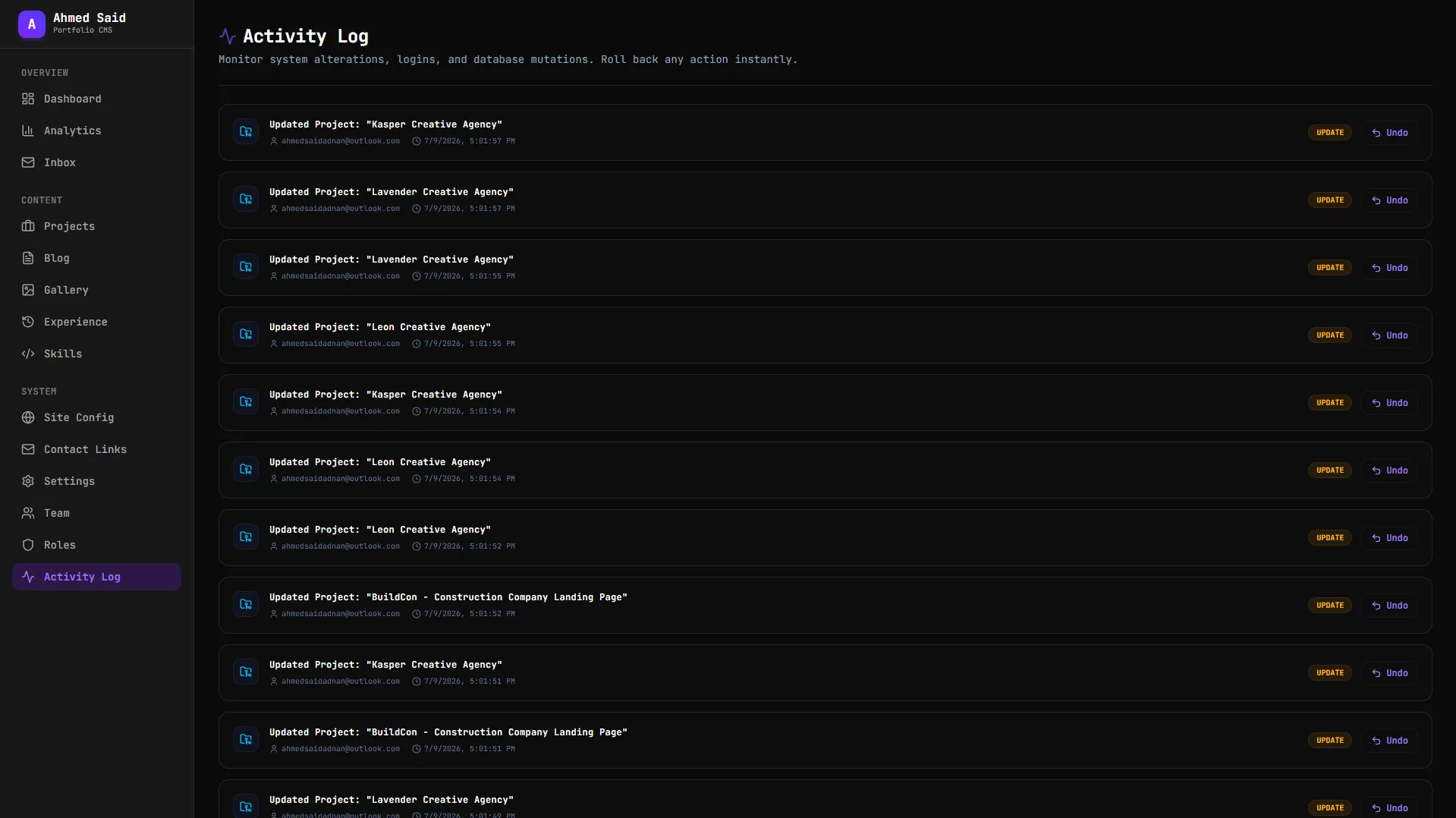
Activity log